
How to Design Your Own Parking Sign Using Our Online Designer
Designing a custom parking sign is easy with our online designer. You can add your own text, upload a logo, and see your changes in real time. No design software is required.
This guide walks you through each step.
Open the Online Designer
Open the Parking Signs product page and scroll to the online designer.
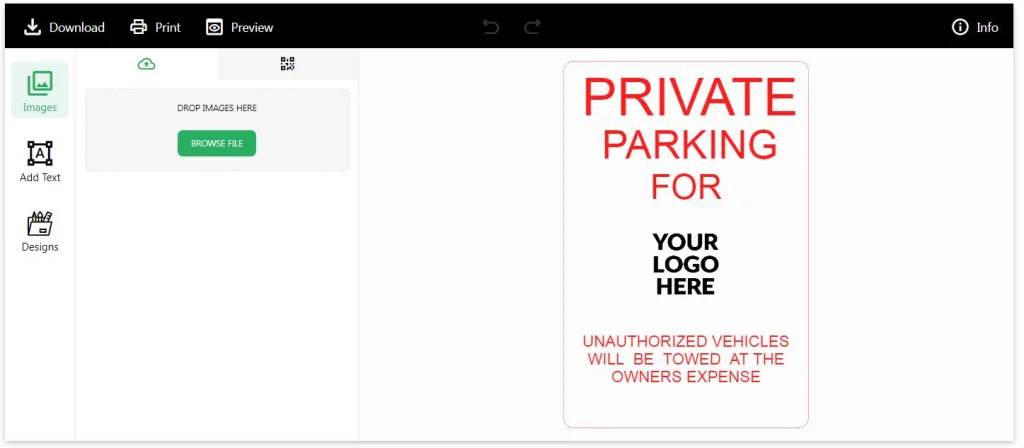
The designer has three main tools on the left side:
- Images
- Add Text
- Designs
The right side of the screen displays a live preview of your parking sign.
Upload Your Logo
Click Images.
Select Browse File and choose the logo or artwork from your computer.
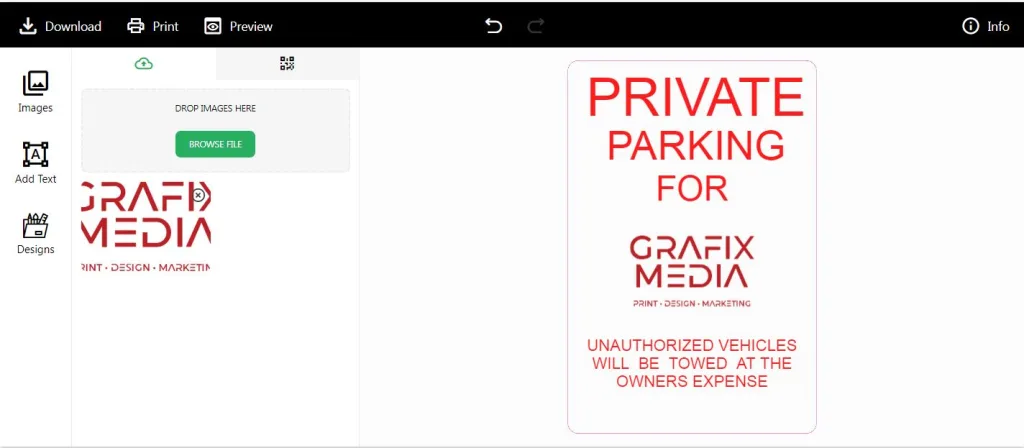
After the upload is complete, drag the image onto the parking sign.
You can resize and move the logo until it is in the correct position.
For the best print quality, upload one of these file types:
- SVG
- AI
- EPS
High-resolution PNG files also work.
Edit Your Text
Click On the Text.
Edit the wordings for your parking sign.
Examples include:
- Private Parking
- Reserved Parking
- Customer Parking Only
- Visitor Parking
- Staff Parking
- No Parking
After adding the text, you can move it anywhere on the sign.
Resize Text and Logo
Click on your text or logo to select it.
Drag the corners to resize the object.
Arrange each item until you are happy with the layout.
Preview Your Design
As you work, the preview updates automatically.
Take a few moments to review your design.
Check for:
- Spelling mistakes
- Logo placement
- Text alignment
- Overall layout
If something doesn’t look right, simply click the object and make your changes.
Download and Upload at Checkout
When your design is complete, click download.
At checkout, add file to upload.
Your custom design will be included with your order.
Tips for Better Parking Signs
- Use large text that is easy to read.
- Keep your message short.
- Leave space around your text and logo.
- Use high-quality artwork whenever possible.
- Avoid stretching logos out of proportion.
- Review your spelling before adding the sign to your cart.
Frequently Asked Questions
Can I upload my own logo?
Yes. Click Images, then Browse File, and upload your logo.
What file types work best?
PDF, AI, EPS, and SVG provide the best print quality. High-resolution PNG files also work well.
Can I move my logo after uploading it?
Yes. Click on the logo and drag it anywhere on the sign.
Can I resize text and images?
Yes. Every object can be resized and repositioned at any time before you place your order.
Do I need any design software?
No. Everything is done directly in the online designer.